Packet Control for Minecraft Servers
ProtocolLib gives Bukkit, Spigot, and Paper plugins direct read/write access to the Minecraft protocol. Intercept, modify, and inject packets without touching obfuscated server code.
What Is ProtocolLib?
The packet manipulation library that most Bukkit, Spigot, and Paper plugins rely on behind the scenes.
The Backbone of Minecraft Plugin Development
ProtocolLib is a server-side library plugin for Bukkit, Spigot, and Paper that gives other plugins direct read and write access to the Minecraft network protocol. If you run a Minecraft server and use plugins that modify packets — things like anti-cheat systems, hologram displays, custom tab lists, or NPC plugins — there is a good chance ProtocolLib is already running on your server.
Rather than forcing plugin developers to dig through obfuscated NMS (net.minecraft.server) code or hook into Netty channels manually, ProtocolLib wraps everything in a clean, event-driven API. Developers register listeners for specific packet types, and the library handles the rest. The packet data arrives in type-safe containers with indexed getters and setters for integers, doubles, strings, and other fields. No reflection headaches, no version breakage every time Mojang ships an update.
Who Built It and Who Maintains It
Kristian Strangeland (aadnk on GitHub) created ProtocolLib, and Dan Mulloy (dmulloy2) has maintained it since. The project sits at over 1,300 stars on GitHub with more than 625,000 downloads on the latest release alone. It ships under the GPL-2.0 license, so the source code stays open and community contributions keep flowing.
Why Server Admins Install It
You do not use ProtocolLib directly as a server admin. You install it because your other plugins need it as a dependency. Think of it as a shared translator between your plugins and Minecraft’s raw network traffic. Without it, every plugin that needs packet access would have to write its own low-level networking code — which breaks constantly across Minecraft versions. ProtocolLib currently supports versions 1.8 through 1.21.8, covering nearly a decade of Minecraft releases with a single JAR file.
- Intercept, modify, cancel, and inject any Minecraft packet through a high-level event-driven API
- Abstracts away obfuscated NMS internals so plugins survive Minecraft version updates
- Covers Minecraft 1.8 through 1.21.8 — one library for servers old and new
- Minimal performance overhead with built-in timing diagnostics (
/protocol timings)
Ready to add ProtocolLib to your server? Head to the download section or check the getting started guide for setup instructions.
What Makes ProtocolLib Essential
ProtocolLib is the standard packet manipulation library for Bukkit, Spigot, and Paper servers. Here is what it brings to your plugin development workflow.
Event-Driven Packet Interception
Register PacketListeners that fire when specific packet types are sent or received. You get full control over client-to-server and server-to-client traffic without polling or scheduling.
Type-Safe Packet Modification
Read and write packet fields through indexed accessors like getIntegers(), getDoubles(), and getStrings(). Each accessor is type-checked, so you catch errors at compile time rather than runtime.
NMS Abstraction Layer
ProtocolLib wraps obfuscated Minecraft internals in a clean API. Your plugin code stays readable and portable, with no direct references to net.minecraft.server classes or Netty channels.
Packet Injection and Cancellation
Send fake packets to individual players or cancel incoming ones before the server processes them. This is the foundation for features like holograms, NPCs, and anti-cheat detection.
Minecraft 1.8 through 1.21.8
One API across years of Minecraft releases. ProtocolLib maintains backward compatibility from 1.8 all the way to the latest 1.21.8, so version updates rarely break your plugins.
Reflection Helpers
Access private fields and methods in Minecraft server code through built-in reflection utilities. Useful when you need data that the public Bukkit API does not expose.
Minimal Performance Overhead
Packet listeners add microseconds per packet, not milliseconds. ProtocolLib hooks directly into the Netty pipeline at a low level, keeping your server TPS stable even under heavy traffic.
Built-In Diagnostic Commands
Run /protocol timings to profile listener performance and /protocol listeners to list every registered packet handler. Debugging packet issues on a live server takes minutes, not hours.
Maven Central Distribution
Add ProtocolLib as a dependency with a single Maven or Gradle line (net.dmulloy2:ProtocolLib). No manual JAR downloads during development, and your build stays reproducible.
Anti-Cheat Foundation
Most Minecraft anti-cheat plugins depend on ProtocolLib to inspect movement, interaction, and combat packets. If you are building server-side cheat detection, this library is your starting point.
ProtocolLib is open source under the GPL-2.0 license. Browse the full source on GitHub.
Download ProtocolLib
Get the latest stable release of ProtocolLib for your Bukkit, Spigot, or Paper server. One JAR file works on Windows, macOS, and Linux.
ProtocolLib 5.4.0
What's new in ProtocolLib 5.4.0
Important:
- This release bumps the minimum required Java version to 17
- Moving forward, ProtocolLib will be published to Maven Central instead of repo.dmulloy2.net. The groupId has been changed to net.dmulloy2 to support this. See #3528 for more details
- ci.dmulloy2.net is also officially deprecated. Future dev builds will be hosted on GitHub. More to follow
Changelog
- Support added for Minecraft 1.21.4-1.21.8.
- Fixed issues with PlayerInfoData conversion when gamemode is null and list order not preserved.
- Improved WrappedList to handle heterogeneous NBT lists.
- Fixed initialization errors for WrappedChatComponent and ChunkData in 1.20.4–1.21.5.
- Corrected version gating for WrappedTeamParameters.
- Improved error messaging when no supported updater is found.
- Updated dependencies for Java 24 compatibility.
- Added String overloads for nametagVisibility and collisionRule in WrappedTeamParameters.Builder.
New Contributors
- @ryanalexander made their first contribution in #3358
- @JavaFruit made their first contribution in #3445
- @Leviaria made their first contribution in #3523
Sponsors
As always, this release is brought to you by the project's sponsors:
If you build cool stuff using ProtocolLib, consider sponsoring the project!
Release notes from the GitHub release page, published August 7, 2025.
Alternative Download Sources
GitHub Releases
Browse all versions, changelogs, and release notes directly on GitHub.
View ReleasesHangar (PaperMC)
Official listing on the PaperMC plugin repository with 20,500+ downloads.
Visit HangarFor Plugin Developers — Maven Dependency
Drop the ProtocolLib.jar file into your server’s /plugins/ folder and restart. No additional configuration needed for most setups. Check the Getting Started section for a full walkthrough.
System Requirements
ProtocolLib runs on any Minecraft server that supports Bukkit, Spigot, or Paper. Here is what your server environment needs.
| Component | Minimum | Recommended |
|---|---|---|
| Java Version | Java 17 (JDK or JRE) | Java 21 LTS (Adoptium or Amazon Corretto) |
| Server Platform | Bukkit or Spigot | Paper (best performance and API support) |
| Minecraft Version | 1.8.x | 1.21.x (latest supported release) |
| Operating System | Any OS that runs Java (Windows, Linux, macOS) | Ubuntu 22.04 LTS or Debian 12 for production servers |
| Processor | 1 CPU core (shared hosting) | 2+ dedicated cores (for busy servers with 20+ plugins) |
| RAM | 512 MB allocated to the JVM | 2 GB+ JVM heap (4 GB+ for 50+ player servers) |
| Disk Space | ~11 MB (ProtocolLib JAR only) | 50 MB+ (including logs, config, and dependent plugins) |
| Network | Internet connection for initial download | Low-latency connection for real-time packet handling |
ProtocolLib has minimal overhead and works alongside other plugins without conflict. Check the features section for more on performance.
Screenshots
See ProtocolLib in action on Minecraft servers — from packet interception to in-game effects powered by the library.

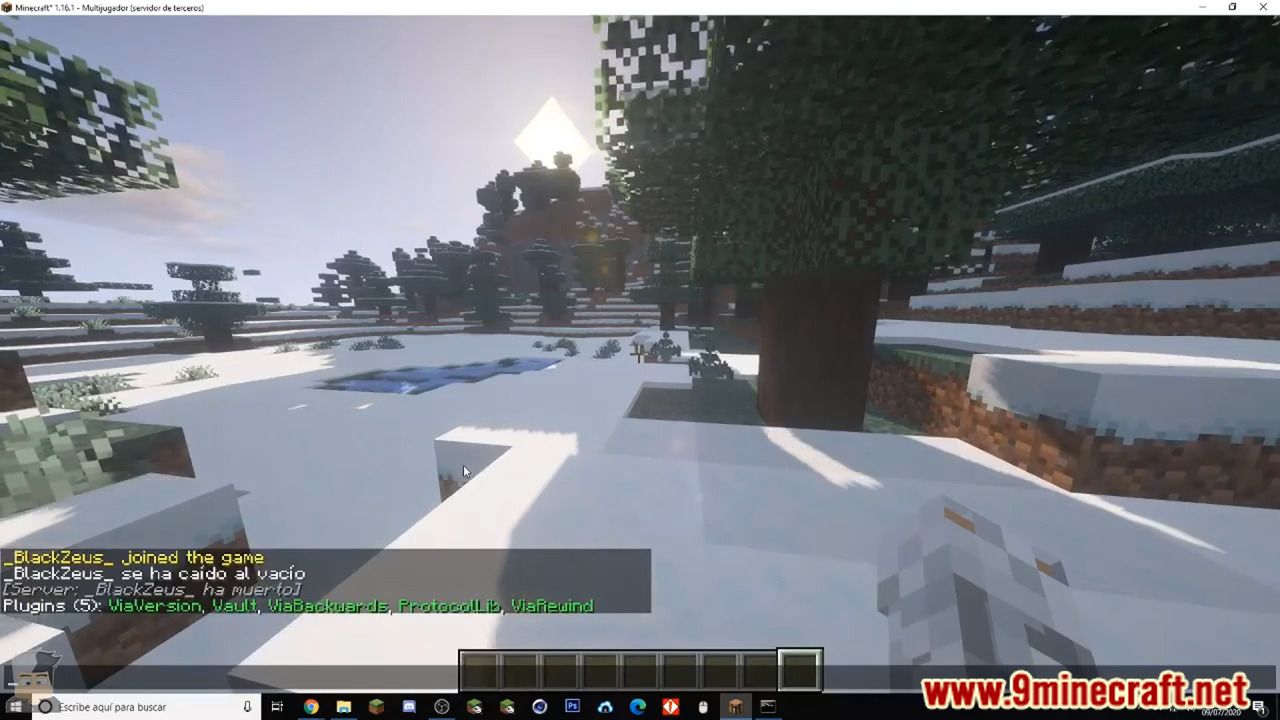
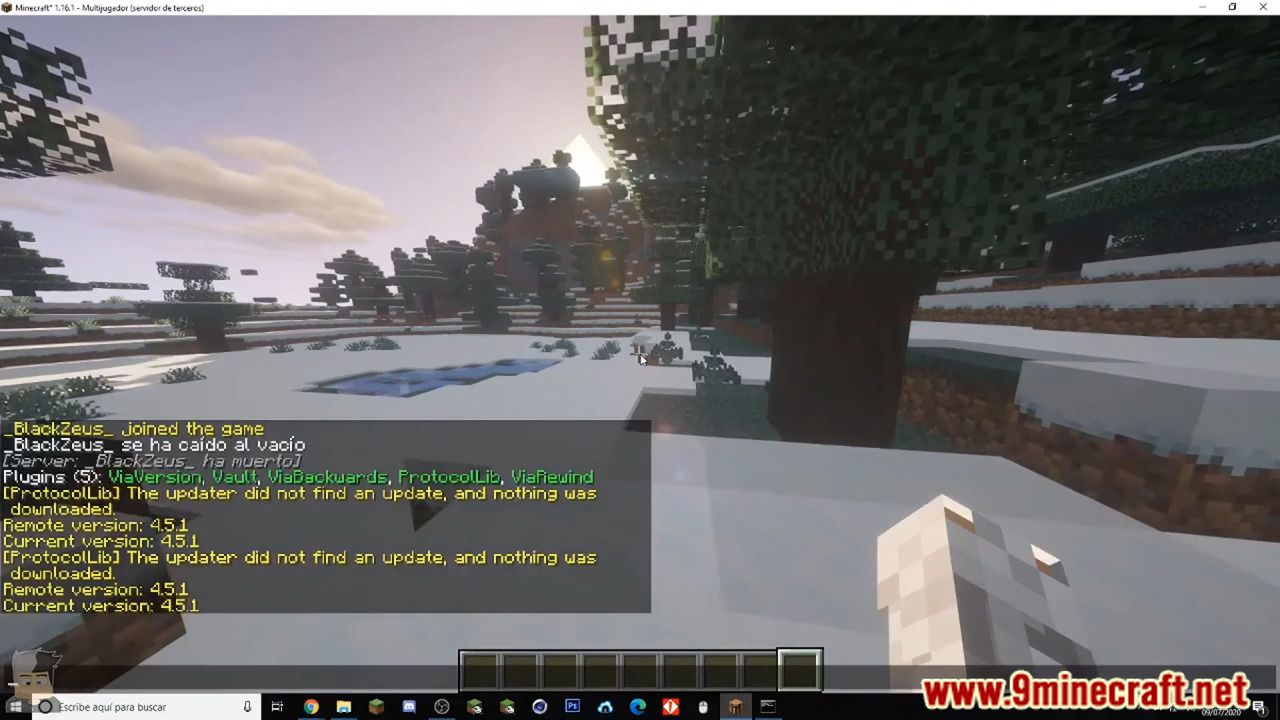

These screenshots show ProtocolLib and plugins that depend on it. Browse the source on GitHub.
Getting Started with ProtocolLib
From downloading the JAR to intercepting your first packet, here is everything you need to set up ProtocolLib on your Minecraft server and start building packet-aware plugins.
Grab the latest ProtocolLib JAR from our download section above. The current stable release is version 5.4.0, which weighs about 9.8 MB. This single JAR file contains everything the library needs to run on your server.
ProtocolLib ships as one universal JAR. There are no separate builds for Windows, Linux, or macOS because the plugin runs inside the Java Virtual Machine on your Minecraft server. As long as your server has Java 17 or newer installed, the same file works everywhere.
Which build should you pick?
Stick with the latest stable release unless a specific plugin you depend on requires an older version. Development snapshots are available on the GitHub Actions page, but they can contain breaking changes and incomplete features. For production servers, stable releases are always the safer choice.
ProtocolLib.jar with no version number in the name. If you are upgrading, just replace the old file in your plugins folder with the new one.
ProtocolLib supports Minecraft versions from 1.8 all the way through 1.21.8, covering Bukkit, Spigot, and Paper servers. Double-check that your server platform and Minecraft version fall within this range before downloading.
Installing ProtocolLib is straightforward. There is no installer wizard or setup screen. You drop a single file into a folder and restart your server.
Step-by-step installation
- Stop your server. Shut down your Bukkit, Spigot, or Paper server completely. Dropping plugins into a running server can cause classloader conflicts.
- Open your server directory. Navigate to the root folder where your
server.jar(orpaper.jar/spigot.jar) lives. You should see folders likeworld/,logs/, andplugins/. - Copy the JAR into
plugins/. Move or pasteProtocolLib.jarinto theplugins/directory. If you are upgrading from an older version, delete the previous JAR first. - Start your server. Launch your server using your normal startup script (e.g.,
java -jar paper.jar). Watch the console output for confirmation that ProtocolLib loaded. - Verify the install. Once the server finishes loading, look for a line in the console that reads something like
[ProtocolLib] Loaded ProtocolLib v5.4.0. You can also type/pluginsin the server console and check that ProtocolLib appears in green.
Hosting panels (Pterodactyl, AMP, Multicraft)
If you run your server through a hosting panel, use the built-in file manager to upload ProtocolLib.jar into the plugins/ folder. Then restart the server from the panel. The process is identical regardless of the control panel you use.
java -version in the terminal. Most Paper 1.20+ servers already ship with Java 17.
After a successful first launch, ProtocolLib creates a plugins/ProtocolLib/ folder containing its configuration file and internal data. You do not need to edit anything here for a basic setup.
ProtocolLib works out of the box with sensible defaults. Most server admins never touch its config file. But if you want to fine-tune things, here is what each setting does.
The config.yml file
After first launch, open plugins/ProtocolLib/config.yml. The file is short and well-commented. Here are the settings you might want to change:
- auto updater > notify: Set to
true(default) to see update notifications in the console. Set tofalseif you manage updates manually. - auto updater > download:
falseby default. Changing this totruelets ProtocolLib download new versions automatically. Most admins leave this off to avoid surprises. - metrics:
trueby default. Sends anonymous usage statistics to bStats. Disable it withfalseif you prefer not to share data. - background compiler:
trueby default. Compiles packet structure information in the background to speed up operations. Leave this on unless you are debugging a specific issue.
Permission setup
ProtocolLib uses one permission node: protocol.admin. Grant it to server operators or admin groups who need access to the /protocol command. Regular players do not need any ProtocolLib permissions.
plugins/ProtocolLib/ folder before upgrading. The 5.x branch rewrote internal structures and stale cache files from 4.x can cause startup errors.
This is where ProtocolLib gets interesting. The library exists so that your plugins can read, modify, and even cancel Minecraft packets without digging into obfuscated NMS code. Here is a complete walkthrough of writing your first packet listener.
Add ProtocolLib as a dependency
In your plugin’s plugin.yml, add ProtocolLib as a dependency so Bukkit loads it before your plugin:
If ProtocolLib is optional for your plugin (it works without it but gains extra features with it), use softdepend: [ProtocolLib] instead.
Maven dependency
Add the ProtocolLib repository and artifact to your pom.xml:
For Gradle users, add the equivalent to your build.gradle:
Write a basic packet listener
In your plugin’s onEnable() method, get the ProtocolManager and register a listener. This example intercepts chat packets from players:
The key classes to understand are PacketAdapter (wraps your listener logic), PacketEvent (carries the packet data and the player), and PacketContainer (type-safe wrapper around the raw packet). You read and write fields using indexed accessors like getIntegers(), getDoubles(), getStrings(), and getItemModifier().
Sending a custom packet
You can also construct and send packets from scratch. Here is an example that sends a title packet to a player:
PacketType.Play.Client.* and PacketType.Play.Server.*. The naming follows the Minecraft protocol wiki closely, so if you know the protocol name of a packet, you can usually find it in the enum.
After you have the basics down, a few habits will keep your plugins fast and your server stable.
Performance
- Only listen to the specific
PacketTypevalues you need. Registering a listener for every packet type will slow your server noticeably. - Use
ListenerPriority.MONITORif your listener only reads packets and never modifies or cancels them. This lets ProtocolLib optimize execution order. - Run the
/protocol timingscommand in-game (requiresprotocol.admin) to see which listeners consume the most processing time. Use this to diagnose lag spikes.
Common mistakes to avoid
- Forgetting to unregister listeners. If your plugin reloads or disables, call
ProtocolLibrary.getProtocolManager().removePacketListeners(this)in youronDisable(). Stale listeners cause memory leaks and duplicate processing. - Blocking the main thread. Packet listeners run on the Netty thread by default. Heavy operations (database queries, HTTP calls) should be offloaded to async tasks.
- Hardcoding packet field indices. Field positions can shift between Minecraft versions. Always test your packet reads after updating the server version.
Useful commands
| Command | What it does |
|---|---|
/protocol |
Shows ProtocolLib version and status info |
/protocol config |
Reloads the config.yml without restarting |
/protocol timings |
Displays timing data for all registered packet listeners |
/protocol listeners |
Lists every active packet listener and which plugin registered it |
Where to get help
The GitHub repository has a wiki with API docs, examples, and migration guides. For questions, open a GitHub issue or post in the SpigotMC forums under Plugin Development. The Minecraft development community on Reddit (r/admincraft) is also a good place to ask about ProtocolLib-specific problems.
Keep ProtocolLib updated whenever you update your Minecraft server version. Major Minecraft updates (like 1.20 to 1.21) often change packet structures, and ProtocolLib releases matching updates within days. Unlike alternatives like direct NMS hooks or TinyProtocol, ProtocolLib handles these version transitions for you.
Ready to start building packet-aware plugins?
Download ProtocolLibFrequently Asked Questions
Answers to the most common questions about downloading, installing, and using ProtocolLib on your Minecraft server.
Is ProtocolLib safe to download and use on my server?
Yes, ProtocolLib is safe. It has been a core part of the Bukkit/Spigot/Paper plugin ecosystem since 2012, maintained by Dan Mulloy (dmulloy2) on GitHub with full source code transparency. The project has over 1,300 GitHub stars, 309 forks, and more than 625,000 downloads on its latest release alone. Thousands of production Minecraft servers run ProtocolLib daily without any security concerns.
ProtocolLib is distributed as a single JAR file (approximately 9.8 MB for version 5.4.0) licensed under GPL-2.0. Because the entire codebase is open source on GitHub, anyone can audit the code for malicious behavior. The plugin does not collect telemetry, phone home to external servers, or modify your server files beyond its own data folder. Major anti-cheat plugins like GrimAC and popular tools like Citizens, LibsDisguises, and HolographicDisplays all depend on ProtocolLib, which speaks to the level of trust it has earned in the community.
- Download only from official sources: GitHub Releases, Hangar, or our download section
- Avoid third-party download sites that may bundle modified JARs with malware
- Verify the JAR file size matches the official release (around 9.8 MB for v5.4.0)
Pro tip: After downloading, you can verify the JAR integrity by checking its SHA-256 hash against the one listed on the GitHub Releases page. This confirms the file has not been tampered with.
For the latest official version, visit our download section.
Where is the official safe download for ProtocolLib?
The official ProtocolLib download is hosted on GitHub Releases at github.com/dmulloy2/ProtocolLib/releases. The plugin is also distributed through Hangar (PaperMC’s plugin repository) and BukkitDev. These are the only three legitimate sources maintained or approved by the developer.
Version 5.4.0, released on August 7, 2025, is the current stable release. The JAR file is approximately 9.8 MB and requires Java 17 or newer. You should never download ProtocolLib from random file-sharing sites, forums with rehosted files, or any source that asks you to disable your antivirus first. Those are red flags for tampered copies.
- GitHub Releases: The primary source, hosted at github.com/dmulloy2/ProtocolLib/releases
- Hangar (PaperMC): hangar.papermc.io/dmulloy2/ProtocolLib — 20,595+ downloads
- BukkitDev: dev.bukkit.org/projects/protocollib
- Maven Central: For developers adding ProtocolLib as a build dependency (net.dmulloy2:ProtocolLib:5.4.0)
Pro tip: Bookmark the GitHub Releases page directly. When a new Minecraft version drops, the updated ProtocolLib build usually appears there first, sometimes days before it reaches Hangar or BukkitDev.
You can grab the latest version from our download section, which links directly to the official GitHub release.
Is ProtocolLib free from malware and spyware?
ProtocolLib contains zero malware, spyware, or adware. The entire source code is publicly available on GitHub under the GPL-2.0 license, meaning every line of code can be reviewed by anyone. The project has been actively maintained since 2012 with hundreds of contributors reviewing and submitting changes through pull requests.
Unlike closed-source plugins where you have to trust the developer blindly, ProtocolLib’s open nature means the Minecraft developer community continuously audits the codebase. The plugin operates entirely within the server JVM and only interacts with Minecraft network packets. It does not access your filesystem outside its own plugin folder, does not open external network connections, and does not collect any form of user data or analytics.
- Open-source GPL-2.0 license — full code transparency on GitHub
- No telemetry, no analytics, no external connections
- Audited by thousands of developers who depend on it for their own plugins
- Trusted by enterprise-grade plugins like GrimAC, Citizens, and LibsDisguises
Pro tip: If you are running a public-facing server and want extra assurance, build ProtocolLib from source yourself using mvn clean package on the GitHub repository. This guarantees you are running exactly what the source code says.
Learn more about ProtocolLib’s architecture in our features overview.
What Minecraft versions does ProtocolLib support?
ProtocolLib supports Minecraft versions 1.8 through 1.21.8. That covers nearly every major Minecraft release from the past decade. Version 5.4 was tested and confirmed working on the latest Minecraft builds as of August 2025.
The plugin works on three server platforms: Bukkit, Spigot, and Paper (including Paper forks like Purpur and Folia with some caveats). Each new Minecraft version typically requires a ProtocolLib update because the internal packet structure changes between versions. Dan Mulloy and the contributor community usually push compatible builds within days of a major Minecraft release, though snapshot support may lag behind.
- Minecraft 1.8 – 1.12.2: Supported via older ProtocolLib builds (4.x branch)
- Minecraft 1.13 – 1.20.6: Fully supported with ProtocolLib 5.x releases
- Minecraft 1.21 – 1.21.8: Supported by ProtocolLib 5.4 and newer
- Server platforms: Bukkit, Spigot, Paper, and most Paper forks
When you see a console warning that says “Version (MC: X.X.X) has not yet been tested!” during startup, that usually means ProtocolLib will still function correctly but has not been formally validated for that specific build. Most server operators report no issues when they see this message.
Pro tip: If you are running a very new Minecraft version and the stable release does not support it yet, check the GitHub Actions tab for development builds that may already include the fix.
Check our system requirements section for the full compatibility matrix.
Does ProtocolLib work on Windows, macOS, and Linux servers?
Yes, ProtocolLib runs on any operating system that supports Java 17 or newer. Because it is a Java-based plugin, it is completely platform-independent. Windows, macOS, Linux (Ubuntu, Debian, CentOS, Arch), and even FreeBSD all work without issues.
The JAR file is identical across all platforms — there is no separate “Windows version” or “Linux version.” You download the same ProtocolLib.jar (approximately 9.8 MB) and drop it into your server’s plugins/ folder regardless of your OS. The only requirement is that your server runs Java 17 or newer, which is also the minimum for Minecraft 1.20.5+ servers.
- Windows: Works with Java 17+ from Oracle, Adoptium, or Amazon Corretto
- macOS: Works on both Intel and Apple Silicon Macs with Java 17+
- Linux: Works on all major distributions — most production Minecraft servers run on Ubuntu or Debian
- Docker/containers: Works in containerized Minecraft servers using images like itzg/minecraft-server
Pro tip: On Linux servers, use Adoptium Temurin or Amazon Corretto for the best Minecraft performance. These JDK distributions include optimizations that reduce garbage collection pauses, which directly improves tick consistency when ProtocolLib is processing packets.
See the full Java and server requirements in our system requirements.
What are the minimum system requirements for ProtocolLib?
ProtocolLib requires Java 17 or newer and a Bukkit, Spigot, or Paper-based Minecraft server. There are no specific CPU, RAM, or disk requirements beyond what your Minecraft server already needs. The plugin itself adds minimal overhead to server resources.
The JAR file is 9.8 MB and uses a small amount of additional RAM at runtime — typically under 20 MB for most server configurations. CPU usage depends entirely on how many packet listeners are registered by your other plugins and how much traffic your server handles. A server with 50 players and 5 ProtocolLib-dependent plugins will use noticeably more resources than a 10-player server with 1 dependent plugin, but the per-packet processing cost is measured in microseconds.
- Java: Version 17 or newer (required, not optional)
- Server software: Bukkit, Spigot, Paper, or compatible forks
- RAM overhead: Roughly 10-20 MB additional beyond your base server allocation
- Disk space: 9.8 MB for the JAR plus a small config/data folder
- Minecraft version: 1.8 through 1.21.8
Pro tip: If you are running a high-player-count server (100+ players) with many packet listeners, allocate at least 512 MB extra RAM beyond your normal server allocation. Use /protocol timings in-game to monitor which listeners consume the most processing time, and optimize or remove slow ones.
View the complete requirements table in our system requirements section.
Is ProtocolLib completely free to download and use?
Yes, ProtocolLib is 100% free. There is no paid version, no premium tier, no subscription, and no hidden costs. The plugin is released under the GNU General Public License v2.0 (GPL-2.0), which means it is free to download, use, modify, and redistribute.
You can use ProtocolLib on as many servers as you want — personal, commercial, or enterprise — without paying anything. There are no player limits, no feature restrictions, and no time-limited trials. The GPL-2.0 license also means that any modified version of ProtocolLib must remain open source, which prevents anyone from creating a proprietary fork.
- Free for personal and commercial Minecraft servers
- No player count limits or feature gates
- No registration, account creation, or license key required
- GPL-2.0: you can modify the source code, but modified versions must also be open source
Pro tip: While ProtocolLib itself is free, some plugins that depend on it (like premium anti-cheat or cosmetics plugins) are paid. ProtocolLib is the library — think of it as the foundation that other plugins build on top of. The library costs nothing; some of the tools built with it may have their own pricing.
Download ProtocolLib for free from our download section.
What license does ProtocolLib use and can I modify it?
ProtocolLib uses the GNU General Public License v2.0 (GPL-2.0). This is one of the most permissive copyleft licenses available, and it gives you broad rights to use, study, modify, and distribute the software.
Under GPL-2.0, you can freely modify ProtocolLib’s source code for your own server. If you distribute your modified version to others (for example, sharing a custom fork publicly), that fork must also be released under GPL-2.0 with the source code available. For private server use where you never distribute the modified JAR, you have no obligation to share your changes. Many large Minecraft networks run internally patched versions of ProtocolLib without any licensing issues because they keep those modifications private.
- Use: Unlimited, on any number of servers, for any purpose
- Modify: Yes, modify freely for private use
- Distribute: Yes, but distributed copies must include source code under GPL-2.0
- Commercial use: Fully permitted
Pro tip: If you are a plugin developer building on top of ProtocolLib, your plugin does NOT need to be GPL-2.0. ProtocolLib is a runtime dependency loaded separately, so your plugin’s license is independent. This is why premium plugins on SpigotMC can depend on ProtocolLib without being forced to open source their own code.
Read more about ProtocolLib’s open-source development on our features page.
How do I download and install ProtocolLib step by step?
Installing ProtocolLib takes about 60 seconds. Download the ProtocolLib.jar file from the official GitHub Releases page (or from our download section), place it in your server’s plugins/ folder, and restart the server. There is no installer, no setup wizard, and no configuration needed.
ProtocolLib works out of the box with zero configuration for most servers. The JAR file size is approximately 9.8 MB for version 5.4.0. Your server must be running Bukkit, Spigot, or Paper with Java 17 or newer. If you are running an older Java version, the plugin will fail to load with a class version error.
- Download
ProtocolLib.jarfrom the download section or directly from GitHub Releases - Stop your Minecraft server if it is currently running (do not use
/reload) - Copy the JAR file into your server’s
plugins/folder - Start the server — ProtocolLib will generate its config in
plugins/ProtocolLib/ - Verify the plugin loaded by typing
/pluginsin the console — ProtocolLib should appear in green
Pro tip: Never install ProtocolLib using a plugin reloader like PlugMan. ProtocolLib explicitly does not support hot-reloading and will throw a “ProtocolLib does not support plugin reloaders” error. Always do a full server restart when installing or updating.
For a detailed walkthrough, check our Getting Started guide.
How to fix ProtocolLib installation errors on startup?
The most common ProtocolLib installation error is “INTERNAL ERROR: Cannot load ProtocolLib” in the server console. This almost always means either a Java version mismatch or a Minecraft version that has not been formally tested yet. The fix depends on which specific error you see in the stack trace.
ProtocolLib 5.x requires Java 17 at minimum. If you are running Java 8 or Java 11, you will get an UnsupportedClassVersionError. Separately, when a new Minecraft version drops, you may see the warning “Version (MC: X.X.X) has not yet been tested!” — this warning is usually harmless, but if the plugin actually fails to load afterward, you need a newer ProtocolLib build.
- Check your Java version: run
java -versionin the terminal — it must say 17 or higher - Look at the full error in the console log, not just the first line — the actual cause is usually 10-20 lines down
- If you see
FieldAccessException: a dependent plugin needs updating, not ProtocolLib itself - If you see
IllegalAccessError: a plugin has bundled ProtocolLib classes inside its own JAR — contact that plugin’s developer - If you see
NoClassDefFoundError: BaseComponent: switch from CraftBukkit to Spigot or Paper - Make sure you do not have two copies of ProtocolLib in the
plugins/folder (check for old versions)
Pro tip: Run /protocol dump after the server starts to see which plugins registered packet listeners with ProtocolLib. If a specific plugin causes the crash, you can isolate it by removing plugins one at a time and restarting until the error disappears.
More troubleshooting steps in our Getting Started guide.
Why does ProtocolLib show red or fail to load in /plugins?
When ProtocolLib appears red in the /plugins list, it means the plugin failed to enable during server startup. This is one of the most commonly reported issues on Reddit’s r/admincraft, and it usually comes down to a Java version problem, a corrupted JAR, or a conflict with another plugin.
Paper/Purpur servers on Minecraft 1.20+ are the most frequent environment where this occurs, typically because the server operator updated Minecraft but forgot to update ProtocolLib. The plugin checks the Minecraft version on startup and may refuse to enable if it detects an untested version. Check your server’s logs/latest.log file for the exact error message — the console output often gets truncated.
- Open
logs/latest.logand search for “ProtocolLib” — find the actual error, not just the “failed to load” line - Confirm you have only ONE copy of ProtocolLib.jar in
plugins/(delete any old versions) - Verify Java 17+ with
java -version - Download the latest ProtocolLib release from GitHub and replace the existing JAR
- Do a full server restart (not
/reload)
Pro tip: If ProtocolLib loads fine by itself but fails when other plugins are present, you likely have a plugin conflict. Remove all other plugins, start with only ProtocolLib, then add plugins back one at a time. Binary search: add half your plugins, see if it breaks, narrow down from there.
Check the full system requirements to make sure your setup meets all prerequisites.
ProtocolLib stopped working after a Minecraft update. How do I fix it?
This is expected behavior. Every major Minecraft version changes the internal packet structure, which means ProtocolLib needs an update to match. When you upgrade your server from, say, 1.20.4 to 1.21.x, the old ProtocolLib JAR will likely fail because it does not recognize the new packet formats.
Dan Mulloy and the contributor team typically release a compatible ProtocolLib build within a few days of a major Minecraft release. For minor updates (1.21.1 to 1.21.2), ProtocolLib usually works without changes. The “Version (MC: X.X.X) has not yet been tested!” warning does not necessarily mean it is broken — it just means the version has not been formally validated.
- Go to github.com/dmulloy2/ProtocolLib/releases and check if a new release is available
- If no stable release exists yet, check the GitHub Actions tab for development builds
- Download the latest JAR, replace the old one in
plugins/, and restart - If no updated build exists at all, wait a few days or temporarily downgrade your Minecraft server to the previous version
Pro tip: Before updating your Minecraft server, always check the ProtocolLib GitHub Issues page and the PaperMC Discord for reports about compatibility. Updating your server on day one of a Minecraft release almost guarantees ProtocolLib will not have a stable build ready yet. Wait 3-5 days for plugin ecosystem updates.
Download the latest compatible version from our download section.
How to fix “ProtocolLib does not support plugin reloaders” error?
This error appears when you use a plugin reloader (like PlugMan, ServerUtils, or the built-in /reload command) to reload ProtocolLib. The solution is straightforward: stop using reloaders with ProtocolLib. Always do a full server restart instead.
ProtocolLib hooks deeply into the Minecraft server’s Netty network pipeline during initialization. When a reloader tries to unload and reload it at runtime, the internal state becomes inconsistent. Packet listeners from other plugins lose their registrations, injected channel handlers get orphaned, and the whole packet interception system breaks down. This is by design — the developer has explicitly stated that hot-reloading is not and will not be supported.
- Stop using
/reload,/plugman reload ProtocolLib, or any similar reload command - If you already triggered the error, do a full server stop and start (not restart through the panel — a clean stop/start)
- For development servers where you need quick iteration, restart only the server process instead of reloading individual plugins
- Consider using a Paper server with the
-Dpaper.disableOldApiSupport=trueflag, which catches reload-related issues earlier
Pro tip: If you absolutely need fast plugin iteration during development, use a test server with minimal plugins where a full restart takes under 10 seconds. On production servers, schedule restarts during low-traffic hours and use a restart script that backs up the world first.
See our Getting Started guide for proper installation practices.
How do I update ProtocolLib to the latest version?
Updating ProtocolLib is the same process as installing it. Download the latest JAR from GitHub Releases, replace the old file in your plugins/ folder, and restart the server. There is no built-in auto-update mechanism.
The current latest version is 5.4.0 (released August 7, 2025), weighing approximately 9.8 MB. Your existing ProtocolLib configuration and data will be preserved during the update — the plugin reads its settings from the plugins/ProtocolLib/ folder, and upgrading the JAR does not touch that folder. You do not need to delete old config files unless the release notes specifically mention a breaking config change (which is rare).
- Check the current version on your server with
/version ProtocolLib - Visit our download section or the GitHub Releases page to see if a newer version is available
- Stop the server completely
- Delete the old
ProtocolLib.jarfromplugins/ - Copy the new JAR into
plugins/ - Start the server and verify with
/plugins
Pro tip: Keep one previous version of ProtocolLib.jar saved outside the plugins folder (rename it something like ProtocolLib-5.3.0-backup.jar). If the new version causes issues with your plugin setup, you can quickly roll back by swapping the JAR files and restarting.
Get the latest version from our download section.
What is new in the latest version of ProtocolLib?
The newest release is ProtocolLib 5.4.0, published August 7, 2025. Its full release notes are in the “What’s new” panel of our download section, which updates automatically whenever a new version ships.
The 5.4 release added support for Minecraft 1.21.8 along with several bug fixes and internal improvements, extending compatibility to 1.8 through 1.21.8.
The 5.x branch of ProtocolLib introduced significant architectural changes compared to the older 4.x branch. It dropped support for Java versions below 17, moved to Maven Central for dependency management (artifact net.dmulloy2:ProtocolLib:5.4.0), and rewrote portions of the packet wrapping system to handle the increasingly complex Minecraft protocol. The 5.x series also improved performance for high-traffic servers by optimizing how packet listeners are dispatched.
- Added Minecraft 1.21.8 compatibility
- Bug fixes for edge cases in packet serialization
- Improved stability on Paper and Purpur server forks
- Published on Maven Central for easier dependency management
- Continued support for the full 1.8 – 1.21.8 version range
Pro tip: For developers, the move to Maven Central means you no longer need to add the dmulloy2 repository to your pom.xml or build.gradle. Just use the standard Maven Central coordinates: net.dmulloy2:ProtocolLib:5.4.0 with scope provided.
Download the latest version from our download section.
ProtocolLib vs PacketEvents – which packet library should I use?
For most Minecraft server operators, use whichever library your plugins require. If your plugins depend on ProtocolLib, install ProtocolLib. If they depend on PacketEvents, install PacketEvents. Many servers run both simultaneously without problems.
For plugin developers choosing a library, the answer is more nuanced. ProtocolLib is the mature, battle-tested option with over a decade of history and broad ecosystem support. PacketEvents is the newer alternative with a more modern API design, cross-platform support (Spigot, Velocity, Fabric, and BungeeCord), and native async packet handling on Netty threads. ProtocolLib processes packets synchronously on the server thread by default, while PacketEvents operates asynchronously, which can offer better performance on high-traffic servers.
- ProtocolLib: Mature (since 2012), huge ecosystem, Bukkit/Spigot/Paper only, synchronous by default, 625k+ downloads on latest release
- PacketEvents: Newer, modern API, cross-platform (Spigot + Velocity + Fabric + BungeeCord), async on Netty threads, growing rapidly
- Ecosystem: Most existing plugins use ProtocolLib (Citizens, LibsDisguises, HolographicDisplays). Newer plugins increasingly adopt PacketEvents (GrimAC supports both)
- Can you run both? Yes. They hook into different parts of the network stack and generally do not conflict
Pro tip: If you are starting a new plugin project in 2025, PacketEvents offers a cleaner developer experience with better documentation and cross-platform reach. If you are maintaining an existing plugin or need maximum backward compatibility, stick with ProtocolLib. Do not rewrite a working ProtocolLib integration just to switch libraries.
See what makes ProtocolLib stand out in our features section.
Can I use ProtocolLib alongside other packet-handling plugins?
Yes, ProtocolLib is designed to coexist with other plugins, including other packet libraries. Running ProtocolLib and PacketEvents simultaneously is a common configuration on servers that use plugins depending on each library. ViaVersion, which handles cross-version protocol translation, also runs alongside ProtocolLib without issues on most setups.
The only scenario where conflicts arise is when two plugins try to modify the same packet type in incompatible ways. For example, if Plugin A cancels a chat packet and Plugin B tries to modify it, the outcome depends on listener priority. ProtocolLib handles this through its priority system (LOWEST, LOW, NORMAL, HIGH, HIGHEST, MONITOR), similar to Bukkit’s event priority model. As long as plugin developers set appropriate priorities, multiple listeners on the same packet type work correctly.
- ProtocolLib + PacketEvents: Generally safe, no known systemic conflicts
- ProtocolLib + ViaVersion: Works well, commonly used together on cross-version servers
- ProtocolLib + anti-cheats (GrimAC, Vulcan): Supported, anti-cheats are among the heaviest ProtocolLib users
- Multiple ProtocolLib-dependent plugins: No issues — this is the normal use case
Pro tip: Use /protocol listeners to see every registered packet listener on your server, grouped by packet type and priority. This command is invaluable for debugging unexpected packet behavior when running many plugins together.
Learn more about ProtocolLib’s API design in our features overview.
How do I use the ProtocolLib API in my own plugin?
Add ProtocolLib as a provided dependency in your Maven or Gradle build file, declare it in your plugin.yml as a dependency, and use the ProtocolLibrary.getProtocolManager() method to access the packet API. From there, you register PacketListener implementations to intercept specific packet types.
The core workflow involves three steps: get the ProtocolManager instance, create a PacketAdapter (which implements PacketListener), and register it. The PacketAdapter lets you specify which packet types to listen for and whether to intercept incoming (client-to-server) or outgoing (server-to-client) packets. Inside the listener callback, you receive a PacketEvent containing a PacketContainer — a type-safe wrapper around the raw packet with indexed read/write methods like getIntegers(), getDoubles(), and getStrings().
- Add to your
pom.xml:<dependency> net.dmulloy2:ProtocolLib:5.4.0 (scope: provided)</dependency> - Add to
plugin.yml:depend: [ProtocolLib]orsoftdepend: [ProtocolLib] - Get the manager:
ProtocolManager manager = ProtocolLibrary.getProtocolManager(); - Create a listener: extend
PacketAdapterand overrideonPacketReceivingoronPacketSending - Register it:
manager.addPacketListener(yourListener);
Pro tip: Always set your listener priority appropriately. Use NORMAL for most cases, HIGH if you need to modify packets after other plugins see them, and MONITOR if you only want to observe without modifying. Never modify packets in a MONITOR listener — other plugins assume MONITOR listeners are read-only.
See code examples in our Getting Started guide.
What diagnostic commands does ProtocolLib provide?
ProtocolLib includes several in-game and console commands for debugging packet issues: /protocol is the base command, with subcommands for listing listeners, checking timings, and dumping diagnostic data. These tools are essential for server administrators troubleshooting performance problems or plugin conflicts.
The two most useful commands are /protocol listeners and /protocol timings. The listeners command shows every registered packet listener grouped by packet type, including which plugin owns each listener and what priority it runs at. The timings command measures how long each listener takes to process packets, helping you identify performance bottlenecks. On a server running 10+ ProtocolLib-dependent plugins, these commands save hours of manual debugging.
/protocol listeners— Lists all registered packet listeners by type and priority/protocol timings— Shows processing time for each packet listener/protocol dump— Dumps full diagnostic info to a file for bug reports/protocol version— Shows the current ProtocolLib version/version ProtocolLib— Standard Bukkit command showing version and author info
Pro tip: If a player reports lag or rubber-banding, run /protocol timings immediately. Look for any listener with processing times above 1ms — those are your performance culprits. Packet listeners should complete in microseconds, not milliseconds. If a listener is slow, the responsible plugin needs optimization or should move heavy work to an async thread.
Explore all of ProtocolLib’s capabilities in our features section.
How do I completely uninstall ProtocolLib from my server?
Stop the server, delete ProtocolLib.jar from the plugins/ folder, and optionally delete the plugins/ProtocolLib/ data folder. That is the entire uninstall process. There are no registry entries, no system files, and no leftover processes to clean up.
Before uninstalling, check which of your other plugins depend on ProtocolLib. Run /protocol dump or check each plugin’s documentation page. Removing ProtocolLib while other plugins still require it will cause those plugins to fail on the next server start. Common plugins that depend on ProtocolLib include Citizens, LibsDisguises, HolographicDisplays, TAB, and many anti-cheat solutions.
- Run
/protocol listenersto see which plugins currently use ProtocolLib - Remove or replace those dependent plugins first, or confirm you no longer need them
- Stop the server fully (do not just
/stop— wait for the process to exit) - Delete
plugins/ProtocolLib.jar - Optionally delete
plugins/ProtocolLib/(the config/data folder) - Start the server and confirm no errors related to missing ProtocolLib dependency
Pro tip: Before deleting, move ProtocolLib.jar to a backup folder outside of plugins/ instead of deleting it permanently. If you discover a plugin you forgot about needs it, you can restore it in seconds rather than re-downloading.
Need to reinstall later? Visit our download section for the latest version.
Still have questions? Check the ProtocolLib Wiki on GitHub or visit the download section to get started.